
TL;DR

Get wellness gear delivered free with Prime
- Fast, free delivery on millions of items
- Prime Video, Amazon Music and more included
- Member-only deals all year
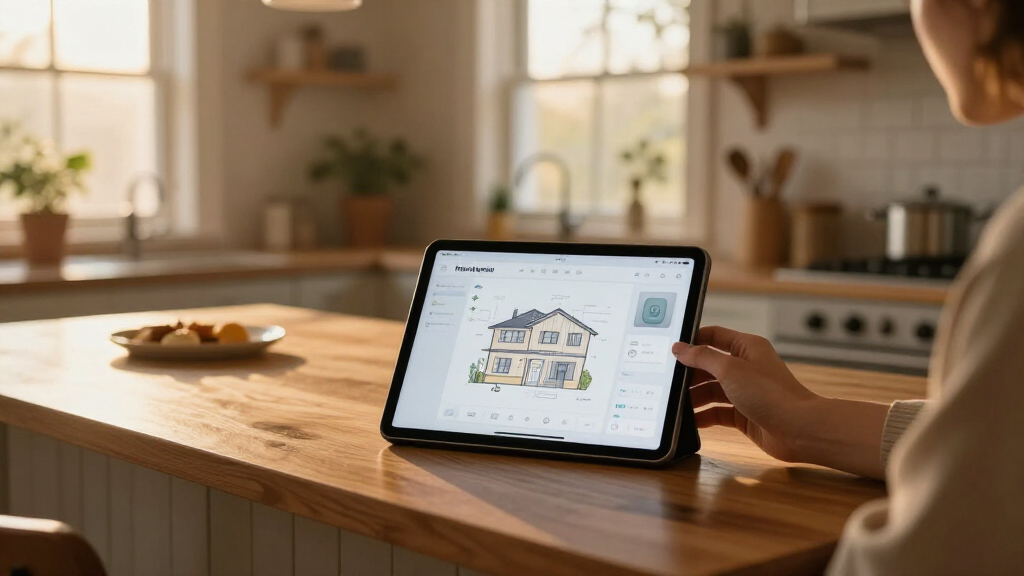
Anton Frolov commissioned an illustrator to draw his home and used the artwork as the basis for an interactive Home Assistant dashboard. The project layers device images, animations and status information over the illustration, offering a more visual alternative to his household’s previous dashboard. Frolov says preparing the artwork and technical brief took much of the work.
Anton Frolov commissioned an illustrator to draw his home and turned the artwork into an interactive Home Assistant dashboard, with visual states for devices such as air conditioning and garden lights. In his report, Frolov says the custom interface was designed to make controls easier for his household to use than his previous dashboard.
Frolov says he had been automating his home with the open-source Home Assistant platform for about a year. Many routines ran automatically, including switching off air conditioners when everyone left and adjusting sprinkler run time according to weather. Some tasks still required a person to use an app, however. Garden lights were one example: a timer turned them off after a set period, and the household needed to extend the timer through an app before it expired.
After finding that other household members did not want to use his existing dashboard or the Home Assistant app, Frolov considered a visual floor plan. He reviewed 3D and pixel-art approaches before commissioning an environment artist whose style he liked. He supplied an architectural plan, room photos, style references, examples of dashboards and a technical brief. He says the preparation and artwork accounted for much of the effort.
The finished illustration serves as the background for Home Assistant’s built-in picture-elements card. Frolov placed device images and sensor readouts over the artwork, using image, icon, state-label and conditional elements. Device imagery can change with a device’s state, allowing an illustration to show an appliance as on or off; animated frames represent some active devices. The project also uses day and night versions of the floors, while the garden has a further night image showing its lights on.
A Dashboard Designed for the Household
The project addresses a practical problem in smart homes: automation does not remove every need for manual control, and an interface is useful only if people in the home are willing to use it. Frolov’s example centers on garden lights that require occasional intervention, but the same design approach could make several controls and readings visible in one place.
It also shows how a household can tailor Home Assistant’s interface without building a new control system from scratch. The interactive functions still rely on Home Assistant; the custom illustration changes how those functions are presented. For readers considering a similar project, Frolov’s account highlights that the artwork and preparation can be a larger undertaking than assembling the dashboard card.
custom home illustration for smart home dashboard
As an affiliate, we earn on qualifying purchases.
As an affiliate, we earn on qualifying purchases.
From Smart-Home Routines to Floor Plan
Frolov says his earlier setup aimed to automate routine decisions, including turning off air conditioners when the home was empty and letting weather affect sprinkler schedules. Garden lighting exposed a limit: its timer sometimes needed a person to extend it, while the available controls were app-based.
He explored interactive floor plans after deciding the existing dashboard did not work for his household. In his account, 3D plans often used a static model with interactive icons layered over it, while pixel art would require drawing or arranging individual sprites. He chose a commissioned illustration instead. The material provided for this article does not specify the report’s publication date or identify the illustrator.
““This is my Home Assistant dashboard, and for the first time, it’s one the whole family actually enjoys using.””
— Anton Frolov
interactive home assistant device control
As an affiliate, we earn on qualifying purchases.
As an affiliate, we earn on qualifying purchases.
Project Costs and Results Unreported
Frolov’s account does not give the commission cost, the time required to complete the artwork or the identity of the illustrator. It also does not provide user-testing data or a measured comparison of how often household members used the new dashboard versus the old one. His statement that the family enjoys using it is his account of the outcome, not a quantified result.
The supplied report excerpt ends while explaining how device images change state, so it does not describe every configuration detail or show the full finished dashboard. It is also unclear whether Frolov shared a complete set of files or instructions that other Home Assistant users can install directly.
As an affiliate, we earn on qualifying purchases.
What Builders Need to Prepare
Frolov’s report points readers planning a similar dashboard toward the next practical steps: define what the interface must show, prepare room and architectural references, and agree with an artist on the technical files needed. He recommends asking for transparent images, day and night artwork, and each device on its own layer, with versions for different states. He also advises keeping all exported elements on one canvas so they line up when placed over the floor plan.
On the Home Assistant side, his described build uses the picture-elements card to combine the background illustration with positioned controls and readouts. The account does not announce a product release or a future milestone; any further details about the commission, implementation or shareable project files remain with Frolov unless he publishes them.
As an affiliate, we earn on qualifying purchases.
Key Questions
What did Anton Frolov create?
He commissioned a hand-drawn illustration of his home and used it as the background for an interactive Home Assistant dashboard, adding device images and status information over it.
How does the illustrated dashboard work?
Frolov says it uses Home Assistant’s picture-elements card. The floor-plan image sits behind positioned elements, which can include device images, icons, sensor labels and conditional elements that appear depending on a device’s state.
Why did he commission an illustrator?
He says other people in his household did not want to use his previous dashboard or the Home Assistant app. He hoped a more inviting visual interface would make controls easier for the family to use, including controls for garden lights.
What should someone request from an artist for a similar project?
Frolov recommends specifying transparent files, day and night versions, separate layers for devices and images for different device states. He says exporting every component on the same canvas helps keep elements aligned in the dashboard.
Did Frolov publish the cost or a downloadable dashboard?
The supplied report does not state the commission price or confirm that a complete downloadable dashboard package is available. It describes the approach and some implementation choices rather than establishing those details.
Source: hn
Columbus Day / Indigenous Peoples' Day Picks
long weekend sales
As an affiliate, we earn on qualifying purchases.