

TL;DR

Get wellness gear delivered free with Prime
- Fast, free delivery on millions of items
- Prime Video, Amazon Music and more included
- Member-only deals all year
You can convert one video into a complete publishing kit—titles, descriptions, social snippets, and more—without sending your data to the cloud. This local workflow boosts privacy, speeds up publishing, and streamlines content repurposing.
Imagine finishing a video and having an entire suite of promotional and publishing assets ready in minutes—without uploading a thing. No cloud, no subscription fees, no privacy worries. This isn’t a distant dream; it’s becoming possible with local, AI-powered workflows.
You’ll learn how to turn one video into everything from snappy social clips to detailed media kits, all while keeping your data safe on your own hardware. It’s a game-changer for creators, publishers, and agencies who value speed, privacy, and control.
Key Takeaways
- Local AI tools let you turn one video into a full publishing kit without uploading your content, protecting privacy and data security.
- The layered analysis—audio, visuals, fusion, and intelligence—produces more accurate, meaningful assets than basic transcription.
- You can generate titles, descriptions, clips, social snippets, and media kits from a single input, streamlining your workflow.
- Hardware requirements are manageable with a recent multi-core CPU, 16GB+ RAM, and a GPU; high-end laptops work well.
- Compared to cloud solutions, local workflows offer faster turnaround, better control, and no ongoing fees.
As an affiliate, we earn on qualifying purchases.
How a Local AI Generates a Full Publishing Kit from One Video
Local AI tools analyze your video on four layers: *audio*, *visuals*, *fusion*, and *intelligence*. This detailed process helps create assets that match the content’s true meaning. Learn more about local publishing workflows.
For example, the system transcribes who said what, detects scene changes, reads on-screen text, and aligns all this info with the video’s key moments. This layered understanding allows the AI to grasp nuances—like tone shifts or visual emphasis—which are crucial for crafting engaging titles and descriptions. It’s not just about extracting data but interpreting it in context, enabling the creation of assets that resonate authentically with viewers. This depth of analysis reduces guesswork and manual editing, but it also requires balancing the AI’s capabilities with processing time and hardware limitations. Over-reliance on automation might overlook subtle content cues, so human review remains essential for nuanced content. Ultimately, this layered approach accelerates asset generation while maintaining relevance and accuracy.

As an affiliate, we earn on qualifying purchases.
Step-by-Step: Turn a Single Video into a Publishing Arsenal
- Drop or link your video: Upload the file or paste in a YouTube link. The system detects the channel and gathers context automatically.
- Let the AI analyze: Background workers transcribe, read visuals, fuse data, and generate an intelligence brief.
- Review assets in the studio: See auto-drafted titles, descriptions, clips, and social posts. Edit or regenerate as needed.
- Approve and publish: Dispatch your assets across platforms, with full tracking and provenance for every element.
This quick loop means you get a media kit ready faster—often while other parts of your video are still rendering.
Understanding each step’s purpose helps you optimize your workflow. For more tips, visit The Stoicism Way. For example, reviewing assets before approval allows you to catch errors or misinterpretations that automation might miss, ensuring your final output aligns with your brand voice and content goals. The process’s speed is a tradeoff—while automation accelerates delivery, it’s essential to allocate time for human oversight to maintain quality and relevance. This balance between speed and accuracy is crucial for professional results, especially when handling sensitive or complex topics.
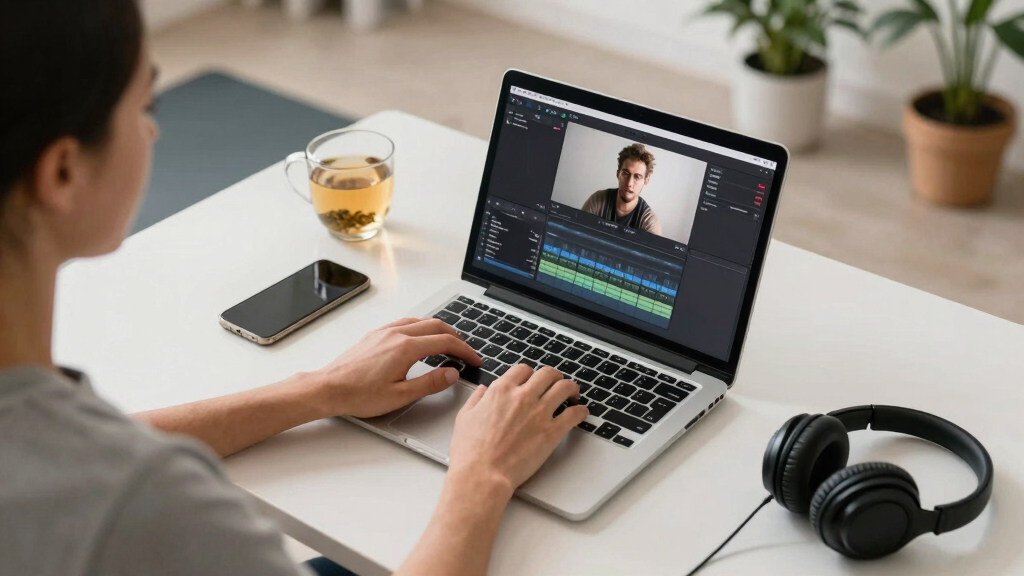
privacy-focused video publishing tools
As an affiliate, we earn on qualifying purchases.
As an affiliate, we earn on qualifying purchases.
What Can You Actually Extract From Your Video?
| Asset Type | What It Does |
|---|---|
| Titles & Headlines | Generates catchy, character-limited options based on key moments and hooks. These are vital because a compelling title can significantly increase click-through rates, but crafting effective ones often requires understanding the core message and emotional appeal. Automated title generation helps identify strong hooks, but manual refinement ensures alignment with your branding and audience expectations. |
| Description & Chapters | Creates detailed summaries with timestamps, perfect for YouTube or blog posts. These summaries improve discoverability and viewer engagement by providing clarity on content structure. The challenge lies in balancing informativeness with conciseness—overly detailed descriptions may overwhelm, while too brief can miss key points. Automated generation accelerates this process but should be reviewed to highlight the most relevant segments for your audience. |
| Social Snippets | Short clips and text snippets tailored for TikTok, Instagram, or Twitter. These assets are critical for cross-platform promotion, yet their effectiveness depends on selecting visually engaging moments and crafting concise messaging. Automated tools help identify high-retention segments, but manual editing ensures the snippets fit the specific style and tone of each platform’s audience. |
| Transcripts & Captions | Full, accurate transcripts with speaker labels for accessibility or editing. High-quality captions not only expand your reach but also improve SEO and viewer comprehension. The tradeoff involves balancing transcription speed with accuracy—especially with noisy audio or multiple speakers—so manual corrections may still be necessary for optimal results. |
| Thumbnail Concepts | Auto-suggests eye-catching images from high-retention moments. Thumbnails are often the first impression viewers have, so automated suggestions must be relevant and enticing. While AI can identify visually striking frames, human judgment remains essential to select images that best represent your content’s essence and appeal to your target audience. |
| Media Kits | Complete press-ready packages—bios, one-sheets, downloadable assets. These kits are invaluable for marketing, PR, and partnerships. Automating their creation saves manual effort but requires careful input to ensure branding consistency and professional presentation. The tradeoff involves balancing automation speed with customization needs for different campaigns. |
As an affiliate, we earn on qualifying purchases.
Why Doing It Offline Matters More Than Ever
Processing your videos locally means your data never leaves your machine. That’s a huge win for privacy, especially if your content involves sensitive topics or proprietary information.
Unlike cloud tools that upload hours of footage, local workflows keep everything in your control—no third-party servers, no data leaks. Plus, it’s faster. You avoid upload/download delays, making your publishing cycle tighter and more predictable.
Take Jessica, a solo creator. She handles coaching sessions and doesn’t want her clients’ videos anywhere but her own computer. Using a local AI workflow, she drafts a full media kit in under 15 minutes—no internet speed bottlenecks or privacy concerns.
Beyond privacy, local processing offers a strategic advantage in environments where internet connectivity is unreliable or bandwidth is limited. This means creators in remote areas or those working in secure facilities can still produce high-quality assets efficiently. However, the tradeoff is that local workflows demand more initial setup, hardware investment, and technical know-how. While cloud solutions often promise ease of use, they sacrifice the control and security that come with local processing. Choosing between the two depends on your priorities: if privacy, speed, and control are paramount, local workflows are the clear winner, but they require a more proactive approach to hardware and software management.

Matching Quality with Speed: How Accurate Is Local Content Extraction?
Local AI tools now match cloud services in transcription accuracy—often hitting 95%+ on clear speech, according to recent tests [6]. Visual recognition and on-screen text reading are also highly reliable, especially with good lighting and clear visuals.
But why does this matter? Because high accuracy means less manual correction, which saves time and reduces errors in your final assets. For instance, a webinar with multiple speakers and on-screen slides was transcribed with only minor errors, which could be quickly fixed during review. This level of precision ensures your titles, descriptions, and captions are both relevant and professional, maintaining your content’s integrity. However, it’s important to recognize that no AI is perfect—complex audio environments, heavy accents, or poor lighting can reduce accuracy. As a result, human oversight remains a vital part of ensuring quality, especially for critical or high-stakes content. The evolving landscape suggests that local AI can offer a reliable, privacy-preserving alternative to cloud services, but understanding its limitations allows you to set realistic expectations and plan for manual adjustments when necessary.

What Hardware Do You Need? Can Your Machine Handle It?
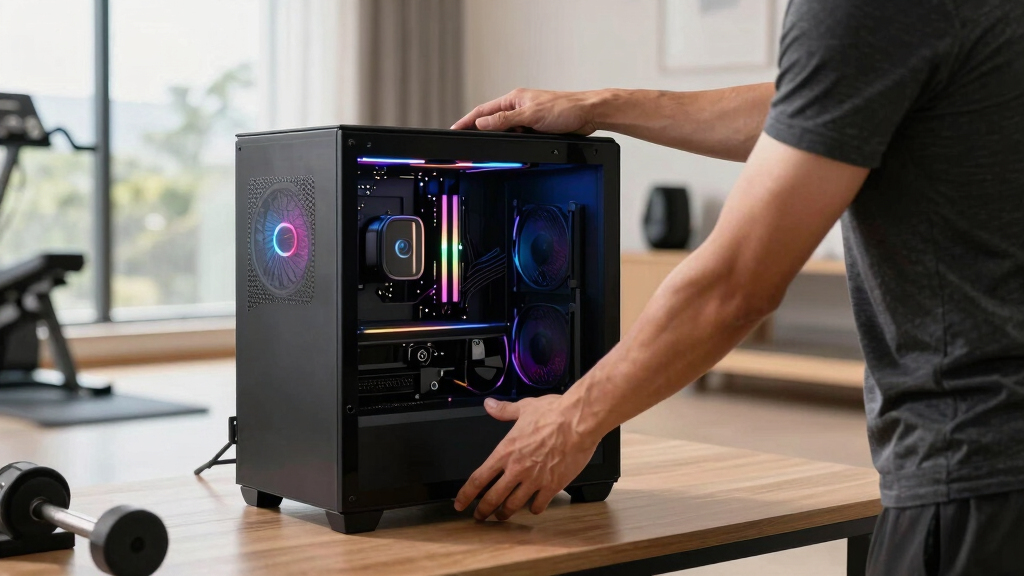
Running robust local AI processing requires a decent machine—think a modern multi-core CPU, 16GB+ RAM, and a dedicated GPU if possible. For example, a high-end gaming laptop or a desktop with an RTX 3060 can handle most tasks comfortably.
If your machine is older or limited, processing might slow down, but it’s still doable with fewer assets or lower-resolution videos. The key is balancing hardware specs with your workflow needs.
Investing in suitable hardware not only speeds up processing but also ensures stability during intensive tasks. This can reduce frustration and prevent crashes or errors that might compromise your content quality. For those unsure, check the system requirements listed on [ChannelHelm](https://channelhelm.com/). Your investment pays off in faster, more private content creation, enabling you to handle larger projects or multiple assets simultaneously without bottlenecks.
Beyond Publishing: Making Marketing Assets and Media Kits
One of the biggest wins is auto-generating marketing content. From a single video, you can produce press-ready media kits—bios, one-sheets, downloadable assets—and social media campaigns.
This automation isn’t just about saving time; it’s about creating consistent, professional branding across all your channels. For example, a creator launching a new course used the system to craft a detailed media kit and a bundle of social posts. The result was faster launches and a cohesive brand message that resonated with audiences. Moreover, having these assets ready in advance allows for more strategic marketing planning and quicker responses to opportunities, such as media inquiries or collaborations. This capability turns a simple video into a full promotional campaign, all managed locally and tailored for each platform—ensuring your messaging is both timely and on-brand, without relying on third-party services that might compromise your privacy or incur additional costs.

Comparing Cloud vs. Local AI for Content Creation
| Feature | Cloud-Based Tools | Local AI Workflow |
|---|---|---|
| Privacy | Data uploaded, potential leaks. Sensitive or proprietary content risks exposure unless encryption and strict security measures are in place, which are not always guaranteed. This creates a tension between convenience and confidentiality, especially for confidential projects or corporate content. | |
| Speed | Dependent on upload/download speeds and server processing time. Large files can cause delays, and network congestion can further slow down workflows, making real-time editing or rapid iteration difficult. | |
| Cost | Recurring subscription fees can accumulate over time, potentially becoming expensive with high-volume or high-resolution content. | |
| Control | Less control over data handling, storage, and processing. You rely on third-party providers’ policies, which might change or introduce limitations. | |
| Accuracy | Often comparable, but depends on the service. Cloud providers continuously improve their models, but accuracy can vary based on the platform and specific use case. |
Choosing between cloud and local workflows involves weighing these factors carefully. While cloud offers ease of use and scalability, local AI provides unmatched control, privacy, and often faster turnaround times. The decision hinges on your priorities—if privacy and autonomy are paramount, investing in local infrastructure and understanding its tradeoffs is essential for long-term success.
Frequently Asked Questions
Is this tool fully offline?
Yes, a local AI workflow runs entirely on your machine, keeping all your content private and offline. No data ever needs to leave your device.
What types of video files are supported?
Most common formats like MP4, MOV, AVI, and others work seamlessly. Check the system requirements on [ChannelHelm](https://channelhelm.com/) for specifics.
Can it transcribe interviews and webinars accurately?
Yes, especially with clear audio. Current AI models achieve over 95% accuracy on straightforward speech, with some manual correction if needed.
What publishing assets can it generate from one video?
Titles, descriptions, chapters, social clips, thumbnails, transcripts, media kits, and promotional posts—everything you need for a full campaign.
Does it support multiple outputs for different platforms?
Absolutely. It automatically tailors assets for YouTube, Instagram, TikTok, LinkedIn, and more, all from a single analysis.
Conclusion
Going offline with your content isn’t just about privacy; it’s about reclaiming control and speed. A single video becomes a multimedia hub, ready for any platform or purpose, all on your own machine.
Imagine never worrying about data breaches, slow uploads, or cloud costs. That’s the future of content creation—simple, private, and powerful. Are you ready to make the switch?

Cold & flu season Picks
humidifiers
As an affiliate, we earn on qualifying purchases.