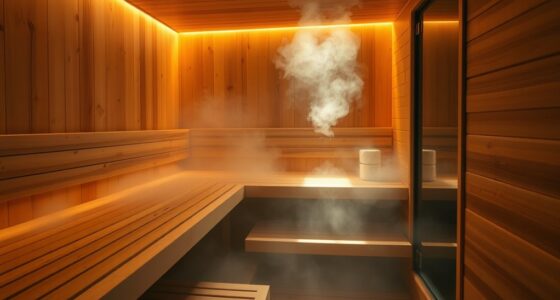
This guide helps beginners prepare and complete a cautious first session with an at-home infrared sauna or heat lamp. You will check the device instructions, set up a suitable space, choose a conservative session, and identify when to stop. Allow 30–60 minutes for setup and your first session; the device itself may require additional warm-up time.

Get wellness gear delivered free with Prime
- Fast, free delivery on millions of items
- Prime Video, Amazon Music and more included
- Member-only deals all year

Viconor Red Light Therapy Lamp with Stand, 660 nm Red and 850 nm Near-Infrared LEDs
- ✔ LED count: 120
- ✔ Wavelengths: 660 nm red and 850 nm near-infrared
- ✔ LED configuration: Each unit combines one red light and two near-infrared lights

Red Light Therapy Panel for Face and Body, 660 nm, 850 nm, and 940 nm
- ✔ Wavelengths: 660 nm, 850 nm, and 940 nm
- ✔ Modes: Continuous and intermittent
- ✔ Bracket material: Aviation-grade aluminum

Handheld Red and Infrared Light Therapy Device for People and Pets
- ✔ Wavelengths: 660 nm red, 810 nm infrared, and 980 nm infrared
- ✔ Intensity: Four levels: 25%, 50%, 75%, and 100%
- ✔ Modes: Continuous wave and 30 Hz pulse
Infrared devices produce heat, and effects and risks vary by device and person. They are not a substitute for medical care. Follow the manufacturer’s directions and ask a healthcare professional before use if you have a condition or take medication that affects heat tolerance.
Difficulty: Beginner | Time: 30–60 minutes for setup and a first session
What You’ll Need
Tools & Materials:
- An infrared sauna or heat lamp with its manufacturer’s manual
- A stable, dry location with suitable power access
- A timer, if the device does not have a reliable built-in timer
- Water for drinking before and after the session
Knowledge:
- Ability to read and follow the device’s operating and safety instructions
- Awareness of personal heat sensitivity and any health conditions that may affect heat tolerance
Check the device label and manual for intended use, clearances, electrical requirements, exposure limits, cleaning, and contraindications. Do not use a device with damaged wiring, cracked parts, or missing safety instructions. If pregnant, managing a chronic condition, or taking medicine that may affect sweating, blood pressure, alertness, or temperature regulation, ask a healthcare professional before using it.
Viconor Red Light Therapy Lamp with Stand, 660 nm Red and 850 nm Near-Infrared LEDs
The Viconor lamp is our strongest general-purpose choice because its listing makes the home setup easy to picture. It has 120 LED units, each combining one 660 nm red light with two 850 nm near-infrared lights, and a curved panel intended to focus light toward the chosen area. The included stand and hook offer alternatives for positioning, while 180-degree angle and height adjustment can help direct the panel without holding it throughout a session.Compared with the three-wavelength panel, Viconor provides less wavelength variety but clearer practical details about its mounting accessories and 3 m cord. That longer reach may help when positioning it near a chair, table, or bed. The tradeoff is coverage: the panel is described as small, so larger body areas may need multiple placements. Its suggested use also calls for 15–30 minute daily sessions, a routine buyers should be comfortable maintaining. We would choose it for adaptable positioning and a relatively clear setup, not for whole-body coverage.
Pros:
- Combines 660 nm red light with 850 nm near-infrared light.
- Stand and hook support different home placement options.
- 180-degree angle and height adjustment help direct the panel.
- 3 m power cord allows some flexibility in where it is set up.
Cons:
- Small panel may require repositioning to cover larger areas.
- Suggested daily sessions take 15–30 minutes.
Best for: People who want an adjustable, hands-free lamp for directing red and near-infrared light at selected face or body areas at home.
Not ideal for: Buyers who want a large panel to cover broad areas at once or who do not want to reposition a small device during use.
Bottom line: Choose Viconor for a well-specified, adjustable home lamp; choose a different format if broad coverage or cordless portability matters more.
“Choose Viconor for a well-specified, adjustable home lamp; choose a different format if broad coverage or cordless portability matters more.”
Red Light Therapy Panel for Face and Body, 660 nm, 850 nm, and 940 nm
This panel stands out for listing three wavelengths: 660 nm, 850 nm, and 940 nm. It also offers continuous and intermittent modes, a timer, and brackets that adjust up to 180 degrees. Those features make it a more configurable panel option than Viconor on paper; the Viconor description instead provides a 3 m cord, stand, and hook, which give buyers a clearer sense of how they can place it around the home.The most important limitation is what the listing leaves out. It does not specify panel dimensions or power output, so we cannot judge its relative coverage or compare light output from the provided details. Its aviation-grade aluminum brackets, included sunglasses, and slight-warmth description add setup and use information, but do not fill those measurement gaps. The suggested schedule is several times weekly for 10–30 minutes per session, rather than Viconor’s daily guidance. This is the better fit for shoppers who specifically value the added wavelength and operating modes and can verify the panel’s size and specifications before deciding.
Pros:
- Lists 660 nm, 850 nm, and 940 nm wavelengths.
- Continuous and intermittent modes provide operating options.
- Brackets adjust up to 180 degrees.
- Includes a timer and sunglasses.
Cons:
- Panel dimensions and power output are not specified in the supplied description.
- Suggested sessions are several times per week for 10–30 minutes.
Best for: Buyers seeking a panel with listed 660, 850, and 940 nm wavelengths, adjustable brackets, a timer, and continuous or intermittent operation.
Not ideal for: Shoppers who need published dimensions and power output to compare coverage and device specifications before buying.
Bottom line: Pick this panel for its listed wavelength variety and modes, provided you can confirm its dimensions and output meet your needs.
“Pick this panel for its listed wavelength variety and modes, provided you can confirm its dimensions and output meet your needs.”
Handheld Red and Infrared Light Therapy Device for People and Pets
Where the two panels are designed around a broader light source and adjustable placement, this handheld device is built for targeted use. Its listed wavelengths are 660 nm red, 810 nm infrared, and 980 nm infrared. Four intensity levels, continuous or 30 Hz pulse modes, and six timer settings give buyers more direct control over operation than the Viconor lamp. A rechargeable battery and adjustable stand also allow cordless or hands-free positioning.That flexibility comes with a clear coverage compromise: users need to position it at different body areas, unlike a panel that can remain in place while it illuminates its target. The listing also omits battery runtime and charging time, making it difficult to know how cordless sessions will fit into a routine. Protective glasses, an AC adapter, cable, and manual are included. Compared with the three-wavelength panel, this device shares a three-wavelength approach but uses 810 nm in place of 850 nm and adds intensity controls and a rechargeable format. It makes the most sense for focused areas and buyers who value handling options; it is a less compelling pick for covering larger areas efficiently.
Pros:
- Lists 660 nm red, 810 nm infrared, and 980 nm infrared light.
- Four intensity levels, continuous and 30 Hz pulse modes, and six timer settings.
- Rechargeable design can be used cordless or with the included AC adapter.
- Adjustable stand and protective glasses are included.
Cons:
- Must be repositioned across different body areas.
- Battery runtime and charging time are not specified.
Best for: People who want a rechargeable device with adjustable intensity and hands-free stand positioning for targeted areas, including a device described for people and pets.
Not ideal for: Buyers who want broad-area coverage in one position or need confirmed battery runtime and charging details.
Bottom line: Choose this compact device for control and cordless, targeted sessions, while accepting repeated positioning and unknown battery runtime.
“Choose this compact device for control and cordless, targeted sessions, while accepting repeated positioning and unknown battery runtime.”
As an Amazon Associate we earn from qualifying purchases.
Before You Start
Use the device only for its stated purpose. Do not assume that a sauna and a heat lamp have the same exposure distance or session time. Keep the unit away from water, flammable materials, and anything the manual says to keep clear. Do not fall asleep during a session, and do not use the device while impaired by alcohol or drugs. Stop if you feel unwell.
Do not try to treat an injury, illness, or pain by extending exposure beyond the manual’s limits. Seek medical advice for new, severe, or persistent symptoms.
Step-by-Step Instructions
Step 1: Read the device instructions
Find the sections on setup, operating distance, warm-up, session length, temperature, eye protection, and people who should not use the device. Follow the limits for your exact model. If instructions are missing or unclear, contact the manufacturer before switching it on.
Tip:Do not apply sauna timing to a lamp, or lamp distance guidance to a sauna.
Check: You can state the device’s required setup, maximum session length, and stop instructions.
Step 2: Check your personal risk
Review the manual’s health warnings. If you have a condition or take medication that could affect heat tolerance, circulation, blood pressure, sweating, or alertness, ask a healthcare professional whether this device is suitable for you. Follow any advice they give about limits or avoiding use.
Tip:Do not use the device if you are ill, dehydrated, intoxicated, or unable to leave or switch it off without help.
Check: You have no unanswered health warning that applies to you, or you have obtained professional guidance before proceeding.
Step 3: Prepare the space and device
Place the device on a stable surface or install it as directed, leaving the clearances specified in the manual. Check the plug, cable, housing, and controls for damage. Keep the area dry and clear, and connect the device only to a power source that meets its electrical requirements.
Tip:Do not use an extension cord or adapter unless the manufacturer permits it.
Check: The device is stable, undamaged, unobstructed, and connected according to its instructions.
Step 4: Set a conservative first session
Choose the shortest or lowest exposure the manual allows for a first session. Set the timer before starting. For a heat lamp, measure the specified distance and aim it only at the area and body position permitted by the instructions. For a sauna, use the controls and seating position described in its manual.
Tip:Do not increase heat or time to chase a particular sensation or health result.
Check: The timer and settings are within the device’s stated limits, and the required distance or position is in place.
Step 5: Start the session and monitor yourself
Switch on the device and remain alert throughout the session. Sit or stand in a comfortable position where you can reach the controls and leave promptly. Keep your head, eyes, skin, or other areas protected as the manual directs. Do not add oils, creams, or coverings unless the manufacturer allows them.
Tip:Stop the device immediately if you feel faint, confused, nauseated, unusually weak, short of breath, or painfully hot. Leave the heated area and cool down.
Check: You remain comfortable and alert, and the session ends at the timer or earlier if you feel unwell.
Step 6: Cool down and check your response
Turn the device off, leave the heated area, and let your body cool at a comfortable pace. Drink water if you are thirsty. Check your skin and how you feel; do not resume exposure that day if you developed dizziness, headache, nausea, unusual weakness, or significant irritation.
Tip:Avoid abrupt temperature changes if they make you feel unwell.
Check: You feel back to normal after cooling down, with no burn, persistent redness, or other concerning symptom.
Step 7: Clean and store the device
Unplug or shut down the device as directed, let it cool fully, then clean and store it according to the manual. Keep the cable and unit dry and protected from damage. Note the settings and duration of your first session so you can compare how you respond next time.
Check: The device is off, cool, clean, and stored safely, and you have recorded the session details.
Common Mistakes to Avoid
- Using a session length or distance intended for a different device. — Follow the manual for the exact model and device type; use its timer and measurement guidance.
- Starting at high heat or extending exposure to seek faster results. — Begin at the shortest or lowest exposure the instructions allow, and do not exceed the stated limits.
- Ignoring early signs of overheating or feeling unwell. — Stay alert, keep the controls accessible, and stop promptly if symptoms appear.
- Placing the device near water, fabric, or other items that obstruct ventilation. — Prepare a dry, clear space and observe the manual’s placement and clearance requirements.
Troubleshooting
Problem: The device does not turn on or shuts off unexpectedly.
Solution: Switch it off and check the manual’s power and reset instructions. Inspect the plug and cable without opening the unit. Stop using it if damage is visible or it continues to malfunction; contact the manufacturer.
Problem: The heat feels uncomfortable before the timer ends.
Solution: Turn the device off and leave the heated area. Cool down, drink water if needed, and do not restart that day if symptoms continue. Reduce exposure next time only within the manual’s permitted settings; seek medical advice for persistent or severe symptoms.
Problem: You are unsure how far to sit from a heat lamp or where to aim it.
Solution: Do not guess. Check the model’s manual or ask the manufacturer for the specified distance, body area, and eye protection. Avoid using the lamp until you have that information.
Problem: Your skin becomes painful, blistered, or persistently red.
Solution: Stop using the device. Cool the area gently and seek medical advice, especially for blistering, severe pain, or a large affected area. Do not resume until the skin has healed and a healthcare professional advises that use is appropriate.
What Success Looks Like
A successful first session stays within the device’s instructions, ends at the planned time or earlier if needed, and leaves you feeling well after cooling down. The device is switched off and stored safely. A comfortable session does not prove a medical benefit; track only your response and follow the manufacturer’s limits.
Next Steps
If you choose to use the device again, keep each session within the manual’s schedule and limits. Change only one permitted setting at a time, and stop if you develop unwanted symptoms. Clean and inspect the device as directed before each use. Contact the manufacturer about device faults and a healthcare professional about health concerns or persistent symptoms.
Frequently Asked Questions
How long should my first infrared session last?
Use the shortest or lowest exposure the manual permits for your model. Device types differ, so there is no single session length that applies to all infrared devices.
Can I use an infrared sauna and heat lamp interchangeably?
No. They have different operating instructions, exposure distances, and safety limits. Follow the guidance for the exact device you are using.
Can I use an infrared device if I take medication or have a health condition?
Some conditions and medicines can affect heat tolerance, sweating, circulation, or alertness. Check the manual’s warnings and ask a healthcare professional if you are uncertain.
What should I do if I feel dizzy during a session?
Turn off the device, leave the heated area, and cool down. Do not restart that day if you do not feel fully well. Seek medical care for severe, persistent, or worsening symptoms.
Does a comfortable session mean the device is working?
It means you tolerated that session; it does not confirm a health effect. Judge safe use by following the manual and monitoring your response, and consult a healthcare professional about treatment claims or symptoms.