
TL;DR

Get wellness gear delivered free with Prime
- Fast, free delivery on millions of items
- Prime Video, Amazon Music and more included
- Member-only deals all year
Prebuilt AI workstations now often match or beat DIY costs thanks to supply chain disruptions. They offer faster setup, validated thermals, and support, making them ideal for quick deployment. DIY builds suit those craving total control or specialized setups and are willing to invest time.
Imagine you’re ready to dive into AI training, but the choice between building your own workstation or buying a prebuilt suddenly feels more complicated than ever. It used to be simple: DIY was cheaper, prebuilt was faster, but now many are exploring build vs buy options. Not anymore. Thanks to supply chain issues and skyrocketing component prices, the game has shifted in 2026, making prebuilt AI workstations more competitive.
Now, the decision hinges on your priorities—cost, speed, support, or customization. Whether you’re a hobbyist or running a lab, understanding the real trade-offs can save you time, money, and frustration. Let’s break down what’s really happening and how to pick what’s right for you.
Build vs buy
an AI workstation.
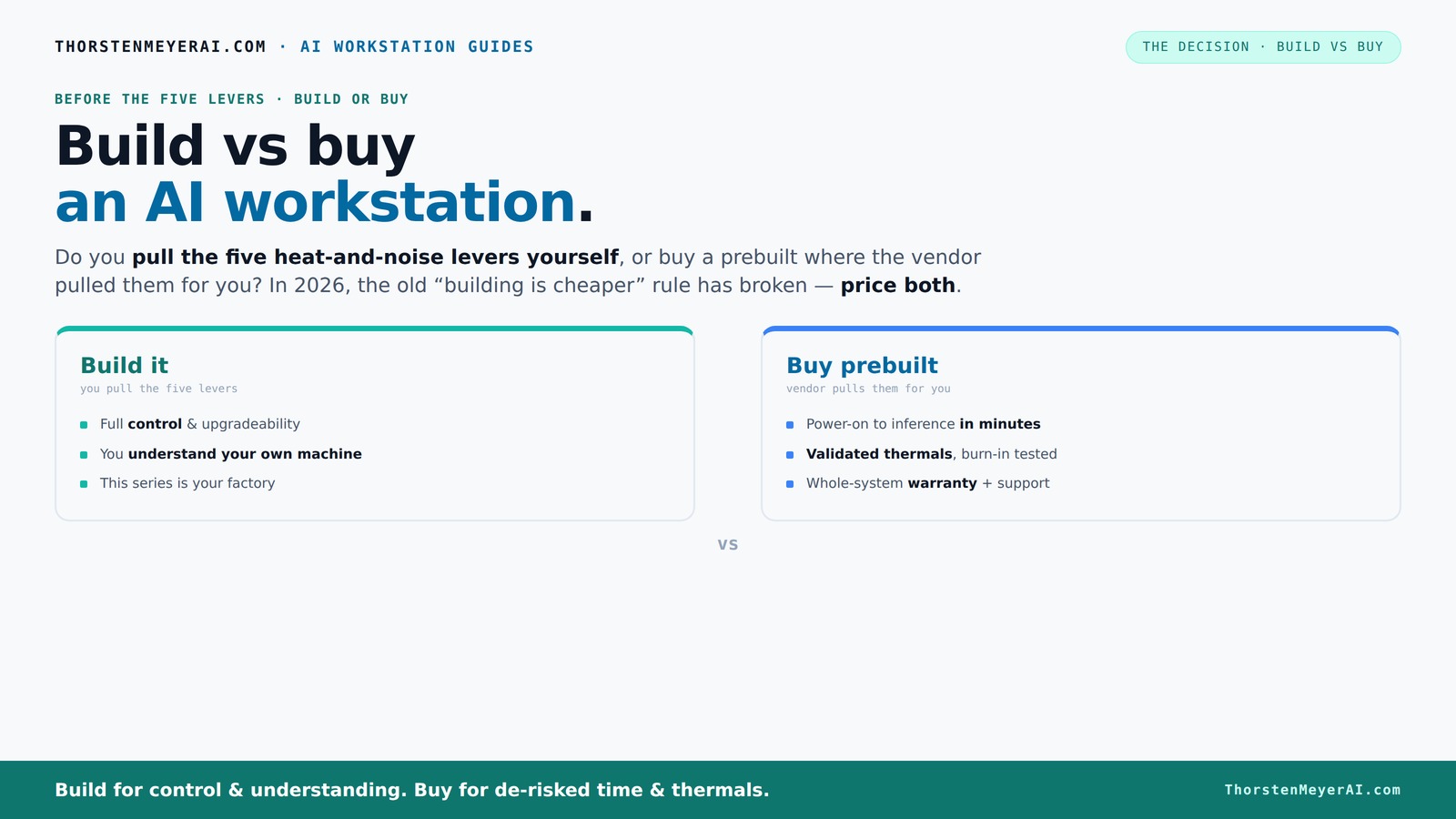
The real question behind this whole series: do you pull the five heat-and-noise levers yourself, or buy a prebuilt where the vendor pulled them for you? And in 2026, the old “building is cheaper” rule has broken. Match your situation in Part 3.
Key Takeaways
- Component shortages and price spikes in 2026 make prebuilt AI workstations often as cheap or cheaper than DIY builds.
- Prebuilts offer immediate deployment, validated thermals, and support, saving time and reducing risk.
- DIY builds suit those who want maximum control, customization, and are comfortable troubleshooting.
- Thermal management and noise control are often better managed in prebuilt systems due to factory validation.
- Always run current price comparisons for your exact config—market conditions can flip the usual cost advantage.
As an affiliate, we earn on qualifying purchases.
Why Building Your Own AI Workstation Isn’t Always Cheaper Anymore
Building your own rig used to be the clear cost winner. But in 2026, component shortages, inflation, and bulk buying by vendors have thrown a wrench in that idea. A typical DIY AI setup with a high-end GPU, 64GB RAM, and SSDs now costs around $1,250+—sometimes more—while prebuilt systems often match or beat that price.
For example, a company like BIZON offers prebuilt systems with 4 GPUs, tested for thermal stability, at prices that are tough to beat if you price out each part yourself. This shift means you can’t assume DIY is cheaper—you have to run the numbers for your exact config.
Understanding why this shift matters is crucial. When component prices spike, the typical advantage of building—control over selecting cheaper parts—diminishes, leading many to consider prebuilt options. Vendors often buy in bulk, securing better prices, and their assembly and validation processes add value. The implication is that, in 2026, your decision should be based on careful cost analysis rather than assumptions. The tradeoff is clear: DIY might require more time and effort but could still be cheaper if you’re good at sourcing, whereas prebuilt offers predictable costs and reliability, often at a similar or lower price.
As an affiliate, we earn on qualifying purchases.
How Prebuilts Save You Time and Headaches
When you buy a prebuilt, you get a machine that's ready to run right out of the box. No sourcing parts, no BIOS fiddling, no driver headaches. It’s plug-and-play, saving you the hassle of sourcing parts, which is why many turn to prebuilt AI workstations for quick deployment. For a busy AI researcher or team, that means faster deployment—often within hours.
Plus, reputable vendors run extensive testing—24 to 48 hours of stress tests—to make sure your system won’t throttle under load. That’s support that DIY can’t easily match unless you’re willing to spend extra time tuning and troubleshooting.
This time-saving aspect is especially critical in professional environments where delays can cost thousands of dollars or impact project deadlines. The implication is that prebuilt systems reduce the risk of misconfiguration and hardware incompatibility, which can be costly and time-consuming to fix. For teams needing rapid deployment, this convenience often outweighs the initial cost difference, emphasizing the importance of support and reliability in the decision-making process.
As an affiliate, we earn on qualifying purchases.
The Heat and Noise Factor: Who Pulls the Levers?
Running AI workloads at full throttle generates heat and noise. How you manage that can make or break your experience. When you build your own system, you control every lever—undervolt the GPU, choose a quiet cooler, tune the fans, optimize airflow.
Prebuilt vendors handle this for you. Companies like Lambda validate thermals, tune fan curves, and often include water cooling to keep noise levels low while maintaining peak performance. It’s like having a custom engineer tune your machine before it ships.
This thermal management is critical because improper cooling can lead to thermal throttling, reducing performance and potentially damaging components. Prebuilts that come with factory-validated thermals and cooling solutions mitigate this risk, ensuring consistent performance and quieter operation. The tradeoff is that DIY systems offer more granular control, which can be advantageous for custom setups but requires expertise. The implication is that, in 2026, thermal validation and noise reduction are significant factors influencing your choice, which is why some may explore specialized solutions for optimal performance.
As an affiliate, we earn on qualifying purchases.
Frequently Asked Questions
Is it cheaper to build or buy a prebuilt AI workstation?
In 2026, component shortages and price spikes mean prebuilts often match or beat DIY costs for the same hardware. Always run current price comparisons for your specific setup, as the market fluctuates rapidly.How much performance do I lose buying prebuilt?
Most prebuilt systems are optimized for thermal and power efficiency, often resulting in identical or very close performance to DIY builds. Plus, factory validation reduces the risk of thermal throttling during intensive workloads.Which is better for multiple GPUs?
Prebuilt vendors like Lambda have validated multi-GPU setups with robust cooling, making them more reliable than DIY rigs, which require careful tuning and custom cooling solutions.What matters most for AI: GPU, VRAM, CPU, or RAM?
GPU and VRAM are the most critical for training large models, but CPU and RAM matter too—especially for data loading and preprocessing. Balance all components based on your workload.Can I upgrade a prebuilt later?
It depends on the system. Some prebuilts offer upgrade paths for RAM, storage, or even GPUs, but others are more fixed. Check with the vendor for upgrade options before buying.Conclusion
In 2026, the choice between build and buy isn’t just about saving a few bucks. It’s about how you value time, control, and peace of mind. Prebuilt systems deliver ready-to-run reliability, making them ideal for rapid deployment and low hassle.
If you love tuning and customizing, and have the time and skills, building your own can still pay off—but the landscape has shifted. The real question now is how much risk and effort you’re willing to trade for convenience and support.
Cold & flu season Picks
humidifiers
As an affiliate, we earn on qualifying purchases.