To program timers and schedules on your sauna controller, start by browsing its user interface to find the “Timers” or “Schedules” menu. Use the controls to set start and stop times, adjusting temperatures for different periods based on your routine. Confirm each entry and save your settings. You can create multiple schedules and use manual overrides for flexibility. If you keep exploring, you’ll learn how to maximize your sauna’s efficiency and comfort with precise programming.

Get wellness gear delivered free with Prime
- Fast, free delivery on millions of items
- Prime Video, Amazon Music and more included
- Member-only deals all year
Key Takeaways
- Access the “Timers” or “Schedules” menu on your controller’s main interface.
- Set desired start and stop times for each schedule, confirming each entry.
- Adjust temperature settings for different times or days as needed.
- Save your schedules and verify that they are correctly programmed.
- Use manual override for temporary changes outside your programmed schedule.
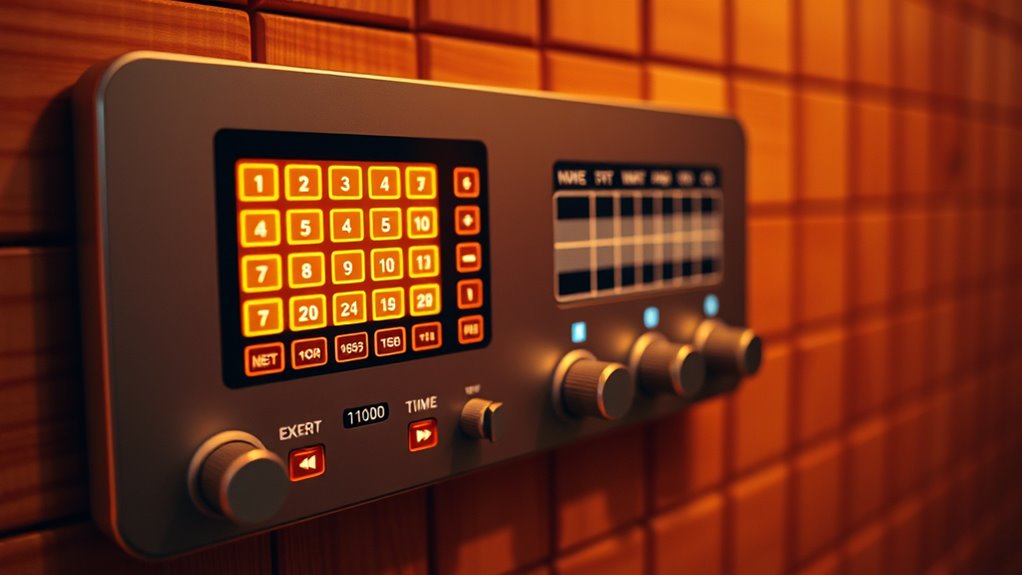
Programming timers and schedules on a sauna controller allows you to enjoy your sauna at ideal times without manual intervention. This feature guarantees your sauna is ready and comfortable when you want it, saving you time and energy. To start, familiarize yourself with the user interface of your sauna controller. Most modern controllers have an intuitive display with clearly labeled buttons or touchscreens. Spend a few moments exploring the layout to understand how to access the timer and schedule settings. Once you’re comfortable, locate the menu dedicated to programming, often labeled as “Timers,” “Schedules,” or something similar.
Next, set your desired temperature settings for different times of the day. The user interface typically lets you adjust the temperature for specific periods, ensuring your sauna heats to the right level when you plan to use it. For example, you might want a higher temperature in the morning and a lower one in the evening. Use the arrow keys or touch controls to set these temperatures precisely. Some controllers also allow you to set minimum and maximum temperature limits, giving you added control over your sauna’s operation and safety.
After setting the temperature, proceed to program the actual timer or schedule. Most controllers offer options to set specific start and stop times for your sauna. You can often create multiple schedules for different days or times, such as weekday mornings and weekend evenings. Input the times using the interface, paying attention to AM/PM settings if applicable. Confirm each entry, and the controller will automatically turn the heater on and off according to your schedule. This automation means you don’t have to remember to turn the sauna on or off manually, which is especially useful if you have a busy routine.
When you’re finished, double-check your settings to ensure everything is correct. Make sure the schedules align with your typical usage patterns and that the temperature settings are comfortable. Some controllers allow you to save multiple profiles, so you can easily switch between different schedules if needed. Additionally, many systems have a manual override feature, enabling you to temporarily adjust the temperature or turn the sauna on outside of the programmed schedule. This flexibility is handy if your plans change unexpectedly. Being aware of the contrast ratio can also help you optimize the display for easier reading during programming.
As an affiliate, we earn on qualifying purchases.
Frequently Asked Questions
Can I Override the Timer Manually Once It’s Set?
Yes, you can manually override the timer once it’s set, but you should do so carefully. Use the manual override feature on your sauna controller, if available, and always follow safety precautions. Make sure the sauna is turned off or cooled down before overriding. Keep in mind that overriding may affect safety features, so proceed with caution and consult your user manual for specific instructions.
How Do I Reset the Timer to Default Settings?
To reset the timer to default settings, follow the reset procedure on your sauna controller. Typically, this involves pressing and holding a specific button or combination of buttons until the display shows a default restore message or reboots. This action clears your current timer settings and restores the original factory defaults. Always check your user manual for precise instructions, as reset procedures can vary between models.
Is It Possible to Program Different Schedules for Weekdays and Weekends?
Yes, you can create a custom schedule with programming flexibility for weekdays and weekends. Think of it as tailoring a suit perfectly to your needs. Most sauna controllers let you set different timers for each day or group of days, so you can enjoy your sauna just the way you like it, whether it’s a quick warm-up on weekdays or a longer session on weekends. Just access the schedule settings and customize accordingly.
What Happens if There’s a Power Outage During a Scheduled Session?
If there’s a power outage during a scheduled session, your sauna controller might lose the current schedule data. Once power is restored, it typically performs a schedule recovery process, reactivating your preset timings. However, some models may require you to manually reset or confirm the schedule. To avoid issues, check your sauna’s manual for specific procedures, and consider installing a backup power supply if outages are frequent.
How Long Does It Take for the Sauna to Reach the Desired Temperature After Scheduling?
Once you start your scheduled session, your sauna typically reaches the desired temperature within 30 to 60 minutes, depending on its size and initial temperature. During this time, the temperature calibration guarantees accurate readings, and the safety shutoff feature prevents overheating. Keep in mind, the exact time can vary, but the controller adjusts heating to reach your preferred heat efficiently and safely.
sauna schedule programming device
As an affiliate, we earn on qualifying purchases.
As an affiliate, we earn on qualifying purchases.
Conclusion
Now that you know how to program timers and schedules, you can enjoy your sauna exactly when you want it. Imagine setting your sauna to turn on 30 minutes before you arrive home after work, so it’s warm and ready to relax. With a little practice, you’ll find it easy to customize your sauna experience, making every session more convenient and enjoyable. Just like Sarah did, you’ll wonder how you ever sauna without these smart features.
digital sauna thermostat with scheduling
As an affiliate, we earn on qualifying purchases.
As an affiliate, we earn on qualifying purchases.
As an affiliate, we earn on qualifying purchases.
Halloween Picks
halloween
As an affiliate, we earn on qualifying purchases.